How to Manage Stock for Your Duka in Kenya: A Complete Guide
Learn practical stock management tips for Kenyan small businesses. Discover how to track inventory, prevent stockouts, reduce waste, and increase profits in your duka.
Why Stock Management Matters for Your Duka
Running a duka in Kenya means juggling dozens — sometimes hundreds — of products every day. From cooking oil and unga to soap and airtime, knowing what you have, what is selling, and what needs restocking is the difference between a profitable business and one that bleeds money slowly.
Poor stock management leads to two costly problems: stockouts (losing sales because an item is not on the shelf) and overstocking (tying up cash in products that sit unsold for weeks). Studies show that small retailers in East Africa lose up to 15% of potential revenue to stockouts alone.
Common Stock Management Mistakes Kenyan Retailers Make
Before we dive into solutions, let us look at the mistakes that hurt most duka owners:
- Guessing instead of counting — Many shop owners reorder based on gut feeling rather than actual sales data. This leads to ordering too much of slow-moving items and too little of fast sellers.
- No record of what comes in and goes out — Without tracking purchases and sales against inventory, shrinkage (theft, damage, expiry) goes unnoticed until profits disappear.
- Ignoring expiry dates — Perishable goods like milk, bread, and yoghurt need first-in-first-out (FIFO) management. Expired stock is pure loss.
- Mixing business and personal stock — Taking products from the shop for personal use without recording it distorts your numbers.
- Relying on paper notebooks — Paper records get lost, are hard to search, and make it nearly impossible to spot trends over time.
Step-by-Step: Setting Up Proper Stock Management
1. Do a Full Stock Count
Start by counting everything in your shop. Yes, everything. Write down each product, how many units you have, and the buying and selling price. This is your baseline. Without it, you are flying blind.
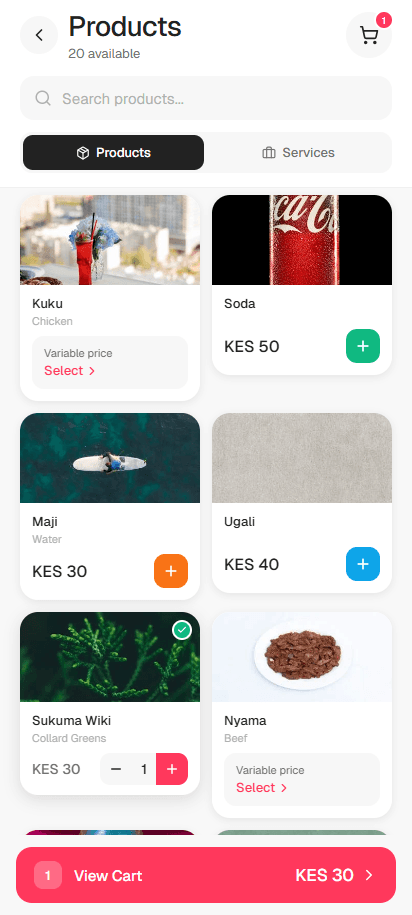
Set aside a quiet time — early morning or after closing — to do this count. If you use an app like DukaSale, you can enter each product as you count, creating a digital inventory in one go.
2. Categorize Your Products
Group products into categories that make sense for your business: beverages, household, personal care, food items, and so on. This makes it easier to spot which categories perform well and which are dragging down your cash flow.
Within each category, identify your fast movers (items that sell multiple times a day) versus slow movers (items that take weeks to sell). Your reorder strategy should be different for each.
3. Set Minimum Stock Levels
For every product, determine a minimum quantity — the point at which you need to reorder. This depends on how fast it sells and how long your supplier takes to deliver.
For example, if you sell 10 packets of unga per day and your supplier takes 2 days to deliver, your minimum stock should be at least 20 packets (plus a small buffer). DukaSale lets you set a custom minimum stock level per product and alerts you when stock drops below it.
4. Track Every Movement
Every sale, every purchase, every return, every damaged item — record it. This sounds tedious on paper, but with a POS system it happens automatically. When you sell an item, stock decreases. When you receive a delivery, stock increases. No manual counting needed for daily operations.
5. Do Regular Stock Takes
Even with a digital system, do a physical stock count regularly — weekly for fast-moving items, monthly for everything else. Compare your physical count to what the system says. Any discrepancy points to shrinkage, recording errors, or theft.
How Technology Makes Stock Management Easier
A generation ago, stock management meant ledger books and manual calculations. Today, apps designed specifically for Kenyan dukas can handle the heavy lifting:
- Real-time stock tracking — Every sale automatically reduces stock count. No manual updates.
- Low stock alerts — Get notified before you run out so you can reorder in time.
- Sales reports by product — See exactly which items sell fastest and generate the most profit.
- Offline capability — Essential in Kenya where internet can be unreliable. A good POS works without WiFi.
- Stock-taking tools — Built-in features to reconcile physical counts with system records.
Tips for Maintaining Good Stock Habits
- Reorder before you run out — Use your minimum stock alerts as triggers, not your empty shelf.
- Negotiate with suppliers — Consistent orders backed by data give you leverage to negotiate better prices or credit terms.
- Review slow movers monthly — If something has not sold in 30 days, consider discounting it or not restocking it.
- Train your staff — If you have employees, make sure they understand the importance of recording every transaction.
- Separate personal use — If you take stock for personal use, record it as a sale at cost price so your numbers stay accurate.
The Bottom Line
Good stock management is not about being perfect — it is about being consistent. Start with a full count, set up a system (digital is far better than paper), track everything, and review regularly. The dukas that thrive in Kenya are the ones that know their numbers.
With tools like DukaSale, you do not need accounting training or expensive software. You just need to commit to tracking what you buy, what you sell, and what you have. The app handles the rest — from low stock alerts to profit calculations — so you can focus on serving your customers and growing your business.
Ready to try DukaSale?
Free POS app for Kenyan dukas. Track sales, inventory, M-Pesa payments, and customer credit — all offline.
Download Free